ABC Kids: Tracing & Learning
BayBee BrainEducational
4.248.00 Reviews
- Version
- 9.12
- Installs
- 10.00M
- Age Rating
- Everyone
Screenshots
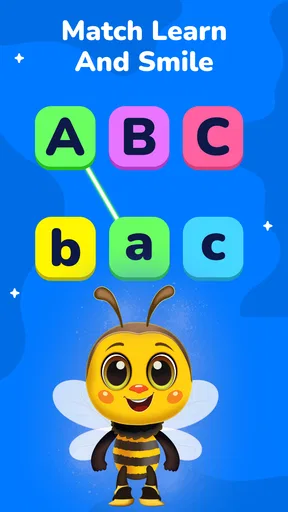
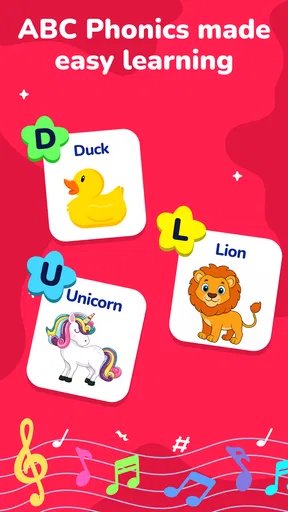
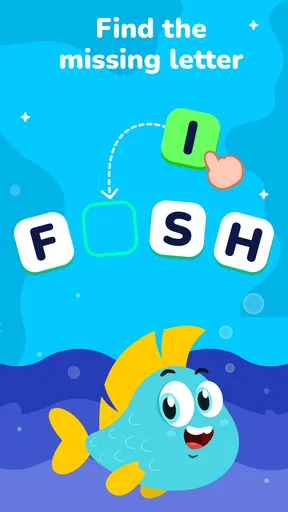
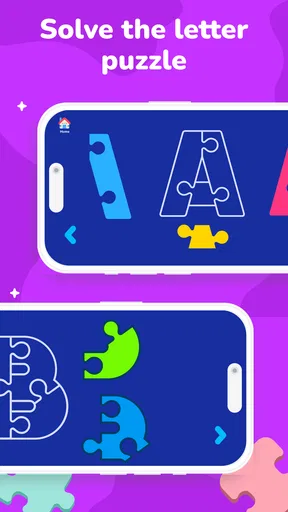
Our Review of ABC Kids: Tracing & Learning
 Analysis by Appyee
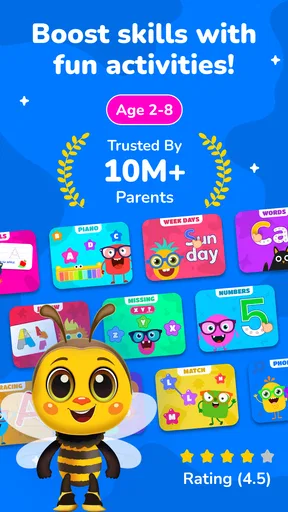
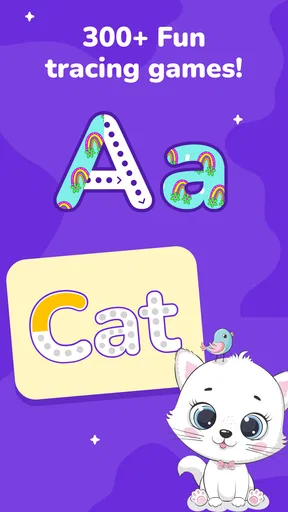
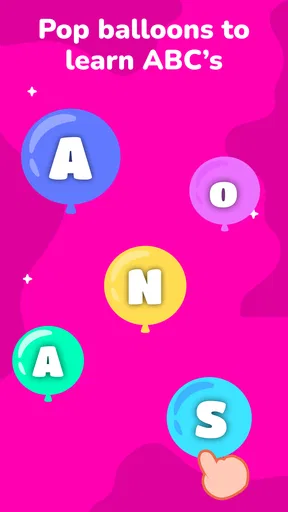
When I tried ABC Kids: Tracing & Learning on a shared device, I quickly understood its main appeal: it turns short practice sessions into a collection of simple activities that a young child can start with very little help. It is an educational game from BayBee Brain, built around early alphabet practice, phonics, tracing, balloon popping, puzzles, and other small exercises rather than one long lesson. That variety matters in a household where the same phone or tablet may be used by several people.
The game is free to install and suitable for Everyone, which makes it easy to consider for a child’s first learning app. It has reached over ten million installs and holds a 4.4 average from around twenty-one thousand ratings, so it is clearly familiar to many families. My experience was positive overall, but I would not treat it as a complete reading course. It works best as a friendly practice tool between guided activities with an adult, a teacher, or a more structured learning program.
How it works on a shared household device
The most useful way to think about this game is as a flexible activity box. A child can spend a few minutes tracing letters, switch to a sound-focused exercise when attention starts to fade, and then finish with a puzzle or balloon activity. That rhythm is more realistic than expecting a preschooler to sit through a fixed lesson every time. On a shared device, it also means one child can use it for letter practice while another family member later uses the same device for something entirely different.
I found that the short, self-contained activities are especially helpful during everyday waiting moments. A child could use it while an adult prepares dinner, during a quiet period before leaving the house, or on a long trip when a physical alphabet book is not available. I would still keep the session purposeful rather than handing over the device indefinitely. The playful parts can easily become the attraction, while the tracing and sound practice require a little encouragement to remain the focus.
For a household with more than one young child, the game’s broad activity mix is convenient because siblings may not want exactly the same thing. One child may prefer drawing letters with a finger, while another may be more interested in matching pieces or popping objects. This does not create separate learning paths, however. I would expect adults to coordinate turns and decide which activity fits each child instead of assuming that the game will organize progress for the household.
The strongest shared-device habit is to define the purpose before handing it over. Saying “let’s practice a few letters” gives the session a clear boundary. Without that small bit of coordination, a child may naturally choose the most immediately entertaining activity and skip the slower tracing work. The app supports casual learning, but the adult still supplies the routine.
What the first session feels like
The opening experience is approachable for a child who already understands basic touch gestures. The activities use familiar actions such as tapping, dragging, and completing visual puzzles, so I did not find the interaction intimidating. A younger child may still need someone nearby at first, particularly when moving from one activity to another or understanding what a letter exercise is asking them to do.
That first session is also a good time to observe whether the child responds better to sound, movement, or drawing. If a child loses interest during tracing, the phonics activity may provide a more engaging bridge back to the alphabet. If the child rushes through sounds, tracing can slow the pace and encourage attention to letter shapes. I would use the variety diagnostically: not as a formal assessment, but as a way to discover which activity makes practice feel manageable.
Because this is a game rather than a workbook, children may approach it with less resistance than handwriting practice on paper. The trade-off is that screen interaction does not replace the hand strength, pencil control, or page awareness developed through physical writing. I would pair the game with crayons, magnetic letters, or a real alphabet book. The digital exercises can introduce repetition and recognition, while offline materials provide the tactile part that a touchscreen cannot offer.
Setting boundaries before a child plays
There is no need to make setup complicated, but I would establish a few household rules before the first unsupervised session. Decide where the device can be used, whether sound should be on, and what happens when another family member needs the phone or tablet. These decisions are especially important on a shared device because interruptions are more likely than they would be on a dedicated children’s tablet.
I would also check the app myself before allowing a child to explore freely. The current version is 9.4 and it runs on Android 6.0 or later, so compatibility is broad for many older devices. That does not tell me how well every individual phone will perform, though. A parent should make sure the device has enough charge, that the screen responds reliably to finger movement, and that the child can hear the activities without needing to raise the volume excessively.
The game is free, but it includes in-app purchases ranging from $2.99 to $49.99 per item. That is the most important setup detail for a shared household device. I would review the device’s purchase protections and avoid leaving a child alone at a payment screen. A free starting point is useful, but “free” does not mean every part of the experience is necessarily outside the purchase flow. An adult should handle any decision involving money.
For families that share one account or one device, I would not assume that activity history, preferences, or progress will be neatly separated by child. The practical solution is simple coordination: give each child a turn, remember which letters were practiced, and use a small notebook or verbal check-in if tracking matters. This is less convenient than individual child profiles, but it avoids creating an expectation that the app will manage household identities for you.
Coordinating learning instead of just sharing screen time
The game becomes more useful when an adult connects its activities to something happening away from the screen. After a tracing session, ask the child to find the same letter on a cereal box or point to it in a favorite book. After a phonics activity, say the sound slowly and invite the child to name an object that begins with it. These follow-ups take little time, yet they turn recognition inside the game into a more transferable skill.
I would avoid correcting every movement while the child is playing. Too much interruption can make a relaxed activity feel like a test. Instead, watch for a pattern: is the child confusing similarly shaped letters, tapping randomly, or recognizing a sound without connecting it to the written symbol? Then choose one small follow-up rather than trying to fix everything in one sitting. The game is better suited to gentle repetition than intense instruction.
A useful routine for a shared device is to alternate control. Let the child complete one activity independently, then sit together for the next one and talk through the letter or sound. This keeps the app from becoming passive entertainment and gives the adult a chance to notice what the child actually understands. It also helps siblings take turns without turning the device into a competition.
Another practical approach is to use the activity type as a signal for the child’s energy level. Tracing is a better choice when the child is calm enough to follow a shape. Balloon popping can provide a quick change of pace when attention is slipping, but I would not use it as a reward every time, since the child may learn to view the learning exercises as an obstacle. Puzzles can work well at the end of a session because they offer a quieter transition away from the screen.
These are not formal teaching features; they are ways I would organize the experience around the game’s mix of activities. The app supplies the exercises, while the adult decides how they fit into the child’s day. That distinction is important for parents who want measurable lessons or a carefully sequenced curriculum. This title feels more like guided practice than a digital classroom.
Age fit, trust, and adult supervision
The Everyone rating makes the game broadly appropriate for a general audience, but age suitability in practice depends on the child’s development. A child who is beginning to recognize letters may need an adult to explain the goal. Another child may already know the alphabet and find the earliest exercises too easy, using the game mainly for casual reinforcement. I would judge the fit by the child’s response, not by the rating alone.
Trust also means checking how the child uses the device beyond the game. On a phone that belongs to an adult, I would stay close enough to prevent accidental navigation into unrelated apps or purchase screens. On a tablet used only for children’s activities, the concern may be smaller, but I would still establish a clear end to the session. The game is designed for young learners, not as a replacement for an adult’s attention or the device’s broader safety settings.
I would be comfortable recommending it for a child who enjoys repetition and responds well to bright, interactive practice. I would be more cautious for a child who becomes overstimulated by rapid tapping or who needs a very quiet, highly structured presentation. In that situation, physical flashcards, a teacher-led workbook, or a calmer reading app may be a better match. The game’s variety is a strength for some children and a distraction for others.
It is also worth separating alphabet familiarity from reading readiness. Recognizing a letter in a game does not automatically mean a child can write it independently, blend sounds, or read words. I would use the app to reinforce one part of early literacy and watch for opportunities to practice the other parts elsewhere. That balanced expectation prevents disappointment and gives the child a richer learning routine.
Where it stands beside common alternatives
Compared with a paper workbook, this game is more inviting for children who resist static pages and benefit from immediate interaction. It is also easier to use in a waiting room or car than carrying several learning materials. The disadvantage is that a workbook gives a child a physical record of effort and usually makes pencil control part of the task. For handwriting development, I would choose both rather than treating them as interchangeable.
Compared with a dedicated phonics course, the game feels broader and less demanding. Its alphabet, tracing, popping, and puzzle activities offer variety, but a specialized reading program may provide a clearer sequence from sounds to words. If your child needs systematic instruction or you want detailed progress tracking, another option may serve that goal better. This title is strongest when you want low-pressure practice that can fit around a family routine.
Compared with a single-purpose tracing app, the extra activities make it easier to recover when attention drops. The cost is that the child may move away from tracing before doing enough repetition. I would choose this game for variety, then use a more focused tool or paper practice when the specific goal is consistent letter formation. The right choice depends on whether the household needs engagement or concentration at that moment.
Its free entry point is another practical advantage over paid learning products, especially when a parent wants to see whether a child enjoys digital alphabet activities before committing money. At the same time, the in-app purchase range means adults should treat payment controls as part of setup. Families who want a completely purchase-free environment may prefer an offline resource or an app with no paid items.
Who will benefit most, and who should skip it
I think it is a good fit for preschool and early-learning households looking for a casual alphabet companion, particularly when several children share one device. It can also help caregivers fill short gaps in the day without preparing a full lesson. The combination of tracing, sound practice, and playful visual tasks gives adults several ways to re-engage a child who tires of one format.
I would skip it as a primary choice if your main requirement is a complete reading curriculum, detailed individual progress records, or a dedicated handwriting trainer. I would also look elsewhere if your child strongly prefers non-screen learning or becomes frustrated by switching between different activity styles. In those cases, a teacher-guided resource or physical activity may provide better consistency.
For a child who already reads confidently, the basic alphabet focus may not offer enough challenge. It could still work as a younger sibling’s activity on a shared tablet, but I would not expect it to stretch an advanced reader for long. Matching the game to the child’s current stage is more important than its large install base or strong average rating.
My household verdict
After using it as a shared-device learning game, I see ABC Kids: Tracing & Learning as a useful, approachable supplement rather than a complete educational system. BayBee Brain has packaged several early alphabet activities into a format that is easy to start, easy to pause, and flexible enough for different moods. The free price lowers the barrier to trying it, while the broad age rating makes it a straightforward option for many families.
My recommendation comes with a clear condition: an adult should set the boundaries. Check the purchase settings, decide how turns work, connect the on-screen letters to real objects and books, and avoid expecting the game to track every child separately. Those small habits make the experience more focused and reduce the friction that can come from sharing one device.
If you want a friendly way to introduce or reinforce letters during short daily sessions, I would give it a try. If you need a carefully sequenced reading course or serious handwriting practice, I would use a different tool alongside it. For my household, its best role is a brief, supervised activity that keeps alphabet practice approachable without pretending to replace the rest of a child’s learning environment.
Privacy and Permissions
See what permissions an app requests and how it handles your data.
- Other
- view network connections, full network access, control vibration, prevent device from sleeping
Verdict
Strengths of ABC Kids: Tracing & Learning
- Simple tracing activities are suitable for preschool beginners.
- Bright animations help maintain children’s attention.
- Works offline after installation, useful for travel or limited data.
- Progressive letter and number practice supports early learning.
- Child-friendly navigation reduces the chance of accidental settings changes.
Limitations of ABC Kids: Tracing & Learning
- Some activities may feel repetitive after extended use.
- Limited content may not challenge older preschoolers.
- Ads or paid features may vary by device and app version.
- Requires supervision to correct pencil grip and tracing technique.
- Touch accuracy can affect results on smaller phone screens.
Similar Picks in This Category
View All
Little Panda Policeman
BabyBus4.0

Monster Trucks Game for Kids 2
Raz Games4.1

Little Panda's Chinese Recipes
BabyBus4.4

Little Panda's Restaurant
BabyBus4.4

Little Panda's Ice Cream Games
BabyBus4.3

Baby Panda Care
BabyBus3.8
Frequently Asked Questions
What is ABC Kids: Tracing & Learning?
ABC Kids: Tracing & Learning is an educational app designed to help young children become familiar with the English alphabet, letter sounds, and basic word recognition. It usually combines tracing activities with colorful visuals, simple interactions, and pronunciation support. The app is aimed primarily at preschoolers and kindergarten-age children who are beginning to learn letters through guided practice and repetition.
Is ABC Kids: Tracing & Learning suitable for preschool children?
Yes, the app is generally designed for preschool and early-learning users, especially children who are learning to recognize and write uppercase and lowercase letters. Its simple controls and visual instructions make it accessible to young learners, although children may still need occasional help from an adult. Parents should choose activities according to the child’s age, attention span, and familiarity with English.
What learning activities are included in the app?
ABC Kids: Tracing & Learning typically includes interactive letter-tracing exercises, alphabet recognition, and activities that connect letters with sounds or familiar objects. Children can practice following on-screen paths while receiving visual or audio feedback. Depending on the version, additional matching, coloring, or word-based exercises may be available, so parents should check the current app listing for the exact feature set.
Does ABC Kids: Tracing & Learning require an internet connection?
Many of the core tracing and alphabet activities can usually be used offline after the application has been installed, which is convenient for travel or limiting online access. However, internet connectivity may be required for downloading the app, receiving updates, viewing certain advertisements, or accessing optional content. Availability can vary between Android and iOS versions, so reviewing the permissions and store description is recommended.
Is ABC Kids: Tracing & Learning free and safe for children?
The app may be available as a free download, but its business model can differ by platform and version. Some editions may include advertisements, optional purchases, or restricted content. Parents should review the store information, privacy policy, permissions, and parental-control settings before allowing independent use. It is also a good idea to supervise younger children and disable purchases where possible.
Play our best games!


